A structured approach to Adobe Premiere Pro editing from scratch. The program combines tools, practice, and real-world examples.
Language of course:
Ukrainian
Format of the event:
Online
Add to collection
you haven't created a collection yet
Add Collection
Course overview
Description generated based on course syllabus and open data.
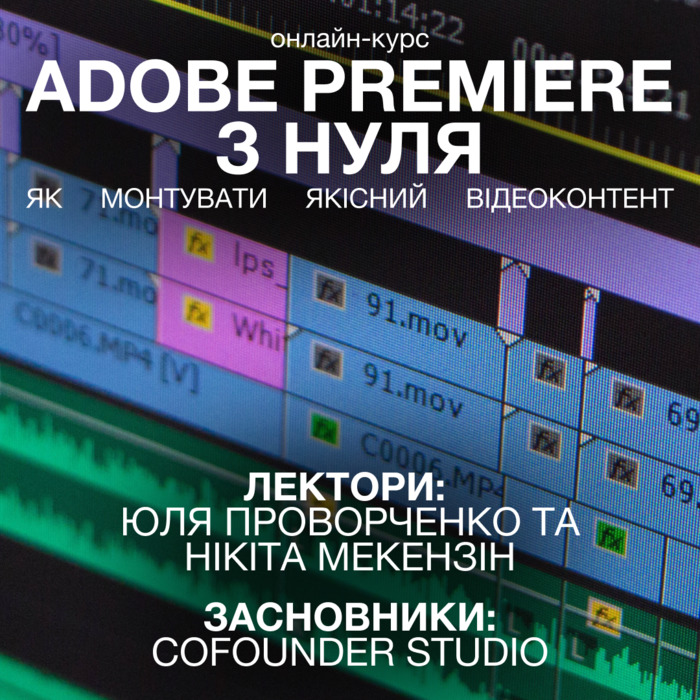
A Premiere Pro program built on step-by-step tutorials, practical tasks, and reviews. Instructors: Yulia Provorchenko and Mykyta Mekezin (Cofounder Studio), with experience across cultural institutions and commercial brands.
Who benefits from Adobe Premiere from scratch
Suitable for
- Business owners — to create clips for TikTok, Instagram, YouTube.
- Bloggers and content makers — to move from mobile editing to Premiere Pro.
- Art directors, copywriters, directors — to visualize ideas and prepare references.
- Beginners in video — to grasp core tools and project organization.
Not suitable for
- Those seeking advanced grading, VFX, or 3D.
- Those expecting Final Cut Pro or DaVinci Resolve instead of Adobe Premiere Pro.
- Those focused only on mobile editors without desktop transition.
- Those relying on guaranteed or instantaneous outcomes.
Problem → process changes in Premiere Pro
- Problem: chaotic media and timeline → Addressed by: project bins, markers, sequences.
- Problem: slow rough cuts → Addressed by: hotkeys, Razor/Slip/Roll, rapid assemblies.
- Problem: flat audio → Addressed by: music, levels, basic sound design.
- Problem: inconsistent color and harsh cuts → Addressed by: basic color correction, transitions, audio-driven smoothing.
- Problem: complex interview multicam → Addressed by: Multicam with multiple cameras and audio tracks.
- Problem: platform-specific outputs → Addressed by: exports for TikTok, YouTube, Instagram.
Comparison with editing alternatives
- Mobile editors: quick start, but fewer tracks, color, and audio controls versus Adobe Premiere Pro.
- DaVinci Resolve: strong grading, different interface logic; Adobe Premiere from scratch gives a universal editing pipeline.
- Final Cut Pro: optimized for macOS; Adobe Premiere Pro is cross-platform with solid Adobe ecosystem integration.
- Self-learning (YouTube): free yet fragmented; this program groups topics into modules.
- 1:1 mentoring: high depth but tied to one approach; here you get a systematic baseline for further specialization.
Outcomes of working through Adobe Premiere from scratch
- Project setup, import, and media organization.
- Rough cuts aligned to script and working sequences.
- Music, audio, titles, and basic animation.
- Basic color correction, transitions, and sound design.
- Multicam editing (multiple cameras and audio tracks).
- Exports for vertical and horizontal platforms (TikTok, YouTube, Instagram).
- Promo creation, custom transitions and effects.
- Client communication approaches and an overview of editing trends.
About the instructors (Adobe Premiere Pro)
Yulia Provorchenko — director and film editor, active since 2017. Mykyta Mekezin — cinematographer and creator, active since 2005. Cofounder Studio have collaborated with cultural initiatives and international companies.
Evaluation
Only authorized users can leave reviews and rate
Log in »