Course overview
Description generated based on course syllabus and open data.
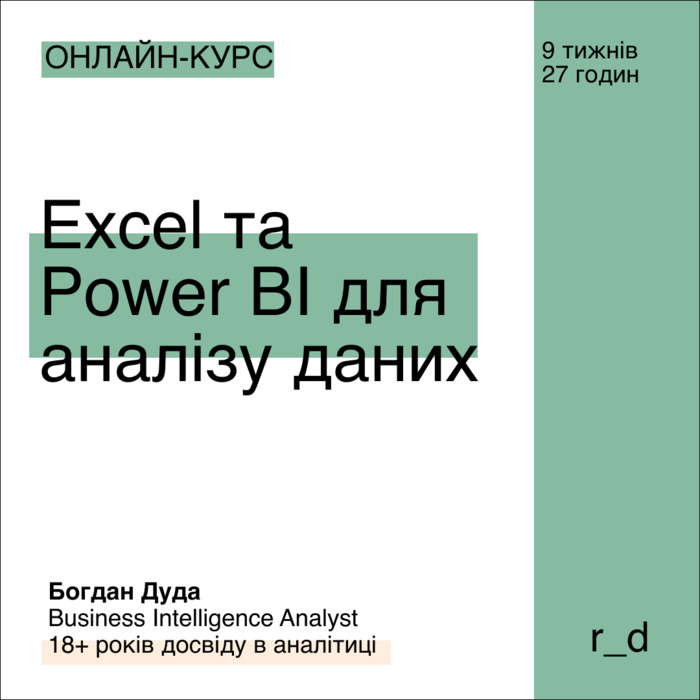
This course focuses on practical use of Microsoft Excel, Power Query, and Power BI for data analysis, modeling, and dashboards. The program sequentially covers lookup and filtering, formula and text operations, table customization, data preparation and cleansing in Power Query, and reporting and publishing in Power BI.
Lecturer: Bohdan Duda — Senior BI Analyst (Fortune 500), PhD in Economics, 18+ years in analytics; experience in managerial accounting, inventory planning automation, corporate reporting solutions, and national statistics projects.
Who this Excel and Power BI for Data Analysis course is for and not for
Suitable for
- Professionals working with Microsoft Excel who want a structured approach to data analysis.
- Analysts and managers who need Power BI dashboards for data-driven decisions.
- Finance, operations, and product teams requiring Power Query for data preparation and cleansing.
- Those moving from manual reports to repeatable ETL processes and data models.
Not suitable for
- Users seeking Python/R programming instead of Microsoft tools.
- Those looking only for basic spreadsheets without modeling and visualizations.
- Cases requiring strictly cloud-only BI outside the Power BI ecosystem.
Data analysis problems → working outcomes in Excel and Power BI
- Messy spreadsheets → structured ranges, formulas, data validation, and consistent formats.
- Disparate sources → Power Query connectors and transformations, unified datasets.
- Manual errors → reproducible cleaning and aggregation steps with documented queries.
- Short-lived reports → Power BI data models and dashboards with filters, measures, and visuals.
Comparison with alternatives for data analysis
Excel + Power Query + Power BI
Combines tabular analysis, ETL, and interactive visualization within the Microsoft ecosystem.
Google Sheets
Good for collaboration and small datasets; limited modeling and visualization scalability.
Tableau
Strong visualization; data preparation often requires separate tools or Tableau Prep.
Python/R
Flexible and automatable via code; higher entry effort and script maintenance.
SQL
Reliable for databases; typically paired with BI tools for reporting and dashboards.
Learning outcomes of the Excel and Power BI course
Excel
- Lookup, filters, arrays, text and date handling, pivot tables.
- Data validation, formatting, functions for alignment and cleansing.
Power Query
- File and service connectors, merge and append, transformations, data types.
- Building reproducible ETL steps and preventing common errors.
Power BI
- Data modeling, measures and calculations, visual selection, filtering and interaction.
- Report and dashboard preparation, publishing to Power BI Service.
Data analysis methodology
- Framing questions, forming hypotheses, validating metrics, and transparent interpretation.